
 By
By 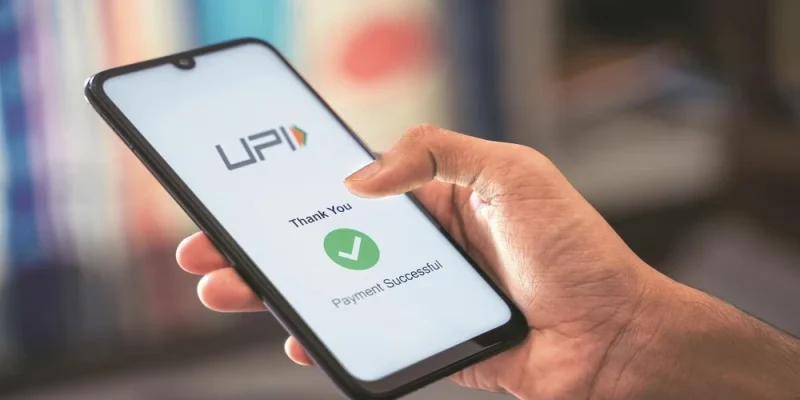
A UPI app has become a common payment tool for people who want to send and receive money without using cash or entering bank details every time. From grocery stores and pharmacies to fuel stations, restaurants, online shopping, rent transfers, and small business payments, UPI has changed the way daily transactions are handled in India.
The main reason people prefer a UPI app is convenience. A user can link a bank account, set a UPI PIN, and make payments directly from the account. There is no need to remember long account numbers or IFSC codes for every small transaction. This makes UPI useful for both personal and merchant payments.
What Is a UPI App?
A UPI app is a mobile application that allows users to make real-time payments through the Unified Payments Interface. It connects the user’s bank account with a payment system that supports instant money transfers.
Users can send money through a mobile number, UPI ID, QR code, or bank details. The amount is debited directly from the linked bank account after PIN confirmation. This makes the process faster than many traditional payment methods.
A UPI app can also support multiple bank accounts. Users may choose which account to use before making a payment, depending on the app features.
How a UPI App Works
The user first installs the app and verifies the mobile number linked to the bank account. After verification, the app detects eligible bank accounts and allows the user to create a UPI ID. The user then sets a UPI PIN for secure payment confirmation.
When a payment is made, the user enters the amount, checks the receiver details, and confirms the transaction with the UPI PIN. The payment is processed in real time, and both sender and receiver usually get confirmation.
This process is helpful for daily payments because it reduces the need for cash, cards, or manual bank transfers.
Common Uses of a UPI AppMoney Transfers to Friends and Family
Users can send money to friends, family members, or colleagues through a mobile number or UPI ID. This is useful for splitting food bills, sharing rent, sending emergency funds, or repaying small amounts.
QR Code Payments at Shops
UPI QR code payments are common at local stores, supermarkets, salons, fuel stations, medical shops, and restaurants. Users only need to scan the code, enter the amount, verify the merchant name, and approve the payment.
Online Shopping Payments
Many e-commerce websites and apps allow UPI payments at checkout. Users can select UPI, approve the request in the app, and complete the order.
Recharge and Service Payments
A UPI app may also help users pay for mobile recharge, DTH, broadband, electricity, gas, water, and other service-related payments.
Merchant and Small Business Payments
Small businesses use UPI to accept payments without needing expensive payment infrastructure. It also helps them maintain a digital record of transactions.
Why People Prefer Using a UPI App
People prefer a UPI app because it is quick, easy to access, and suitable for many payment needs. It removes the need to carry cash for every small purchase. It also works across many banks and merchants.
Another reason is payment tracking. Users can check transaction history, review failed payments, and confirm whether a payment was completed. This helps reduce confusion in daily transactions.
UPI also supports low-value and high-value payments within allowed limits. Users can pay for small purchases as well as larger transactions, depending on bank and app restrictions.
UPI App and Monthly Expense Control
A UPI app can help users manage regular payments better. Since most transactions are recorded, users can check where they spent money during a month. This is useful for tracking food expenses, travel costs, household purchases, subscriptions, and service payments.
For example, a user may review weekly payment history and identify unnecessary spending. This simple habit can help with budgeting and planning.
In the middle of a monthly payment cycle, many users also rely on UPI for bill payment because it allows them to complete regular dues without visiting offices or payment counters.
Safety Features to Check in a UPI App
A UPI app should have basic safety features. These may include mobile number verification, UPI PIN, device binding, app lock, biometric access, and transaction alerts.
The UPI PIN is important because payments cannot be completed without it. Users should never share this PIN with anyone. Banks, apps, and support teams do not ask for a UPI PIN to receive money or resolve issues.
Users should also check the receiver name before approving payment. This is especially important when scanning QR codes in public places.
Mistakes to Avoid While Using UPI
One common mistake is entering the UPI PIN when receiving money. A user does not need to enter a PIN to receive funds. If any request asks for PIN approval to receive money, it should be treated carefully.
Another mistake is paying without checking the merchant name. QR code stickers can be misplaced or tampered with, so users should confirm details before approving.
Users should also avoid clicking unknown payment links. Fraud messages may create urgency and ask users to approve payment requests. It is better to open the app directly instead of using unknown links.
What to Do If a UPI Payment Fails
A UPI payment may fail due to poor network, bank server issues, incorrect details, daily limits, or technical errors. If the amount is not debited, users can try again after some time.
If the amount is debited but the receiver does not get it, users should check transaction status inside the app. Many failed or pending transactions are reversed automatically within the timeline set by the bank or payment system.
Users should save the transaction ID and raise a complaint through the app or bank support if the issue does not resolve.
How to Choose a Suitable UPI App
A suitable UPI app should be easy to use, secure, and reliable. Users should check whether the app supports their bank, provides clear transaction history, allows quick complaint raising, and sends instant alerts.
The app should also have a simple interface. Payments should not require too many steps, but important details such as receiver name, amount, and bank account should be clearly visible before confirmation.
Users who handle frequent payments should also check whether the app supports multiple bank accounts and payment reminders.
UPI App for Small Business Owners
Small business owners can use UPI to accept customer payments quickly. It helps reduce cash handling and creates a digital payment record. This can be useful for daily sales tracking.
A merchant can display a QR code and receive payments directly into the linked bank account. However, business owners should regularly check settlement records and match payments with sales.
For better record keeping, they may also maintain a separate account for business transactions instead of mixing personal and business payments.
Conclusion
A UPI app is a practical tool for daily payments, money transfers, QR code transactions, online shopping, and service payments. It helps users complete payments quickly while keeping a record of transactions.
The best way to use a UPI app is to stay alert, check receiver details, protect the UPI PIN, avoid unknown links, and review payment history regularly. With careful use, UPI can make daily payments easier and more organized for individuals, families, and small businesses.
Frequently Asked Questions
What is a UPI app?
A UPI app is a mobile application that allows users to send and receive money instantly through linked bank accounts.
Is a UPI app safe for daily payments?
Yes, it is safe when users protect their UPI PIN, verify receiver details, avoid unknown links, and use trusted apps.
Can I link more than one bank account to a UPI app?
Many UPI apps allow users to link multiple bank accounts, depending on bank support and app features.
Do I need a UPI PIN to receive money?
No, a UPI PIN is required only to send money or approve a payment. It is not needed to receive money.
What should I do if a UPI transaction fails?
Check the transaction status, save the transaction ID, wait for reversal if applicable, and contact app or bank support if the issue continues.





Comments